AWS Elastic Beanstalk
Elastic Beanstalk can be used to deploy and manage applications within the AWS Cloud without having knowledge about the infrastructure that executes those applications. Elastic Beanstalk supports applications developed in java, Go, PHP, NodeJS, Python and Ruby. Elastic Beanstalk reduces management complexity and handles capability provisioning, load balancing, scaling and application health. AWS Elastic Beanstalk for PHP makes it easy to deploy, manage, and scale PHP web applications.
AWS CodePipeline
AWS CodePipeline is a continuous delivery service that assists in automating pipelines for fast and reliable application and infrastructure updates. When new commits happen AWS CodePipeline automates the build, test, and deployment stages of a new release. AWS CodePipeline easily integrates AWS cloud environments with third-party services such as GitHub.
Setting up AWS Elastic Beanstalk and CodePipeline is relatively easy. We have outlined the steps below.
Step 1: Create an EB environment
Elastic Beanstalk will host web applications without the need to launch, configure, or operate EC2 instances on your own. It automatically provisions and operates the infrastructure. Don’t need to worry about the infrastructure, Elastic Beanstalk will take care of everything.
- Go to Elastic Beanstalk’ Console and Click on ‘Create Application’

- Choose PHP as Platform from the drop-down menu and click on ‘Create Application’

Elastic Beanstalk will create a sample environment with an Amazon EC2 instance, a security group, an Auto Scaling group, an Amazon S3 bucket, Amazon CloudWatch alarms, and a domain name for the application.
Note: This may take several minutes.

Once the environment setup is completed, can see the health status and access the EB endpoint to view the sample PHP page.

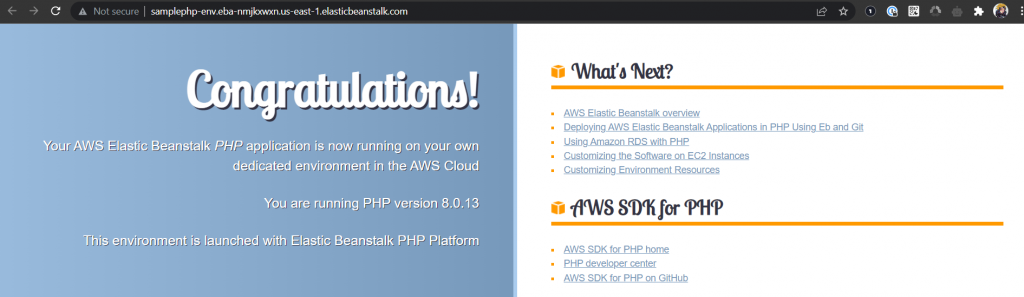
Step 2: Clone the sample code from the GitHub repository
Sample PHP application is in GitHub which is going to be deployed on Elastic Beanstalk and along with that, CodePipeline needs to be configured. This pipeline will take the source code from the GitHub repository and deploy it to Elastic Beanstalk. If there is any change in the source code it will directly deploy that change to EB-EC2 Instances.
Fork the GitHub repository for PHP Sample Application: https://github.com/example/aws-codepipeline-s3-codedeploy-linux.git
Step 3: Create a CodePipeline
Using CodePipeline, Build, test, and deploy code every time there is a code change.
- Go to CodePipeline service, click on “Create pipeline” and name it accordingly.

- Select GitHub as the Source provider and authorize the application, specify the repository and the branch.

- A sample PHP application, don’t need to build the code. So skip the Build stage.
- In the next step, Select the deploy provider as Amazon Elastic Beanstalk. Select the Application Name and Environment Name accordingly.

To make sure the pipeline is running successfully, monitor the progress of the pipeline as it moves through each stage. The status of each stage will change from “In Progress” to either “Succeeded” or “Failed”.

Access the Beanstalk endpoint and can see the updated code.

Step 4: Commit the changes and automate deployments to your EB environment
Revise the code and commit the changes to the repository. CodePipeline will detect updated sample code and then automatically initiate deploying it to the EC2 instance via Elastic Beanstalk.
Let’s update the index.html page, commit changes and after some time the pipeline is being updated. It will automatically pull the updated code and will start reflecting the changes.


And that’s all! Deployed a sample PHP application to AWS Elastic Beanstalk using AWS CodePipeline.